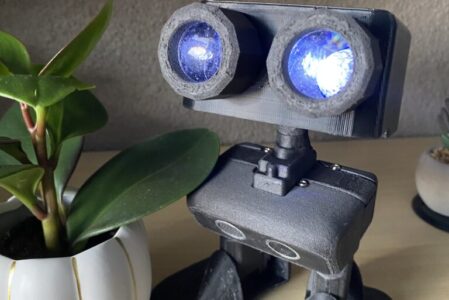
Meet PU, Your Child’s First AI-Powered Learning Buddy!
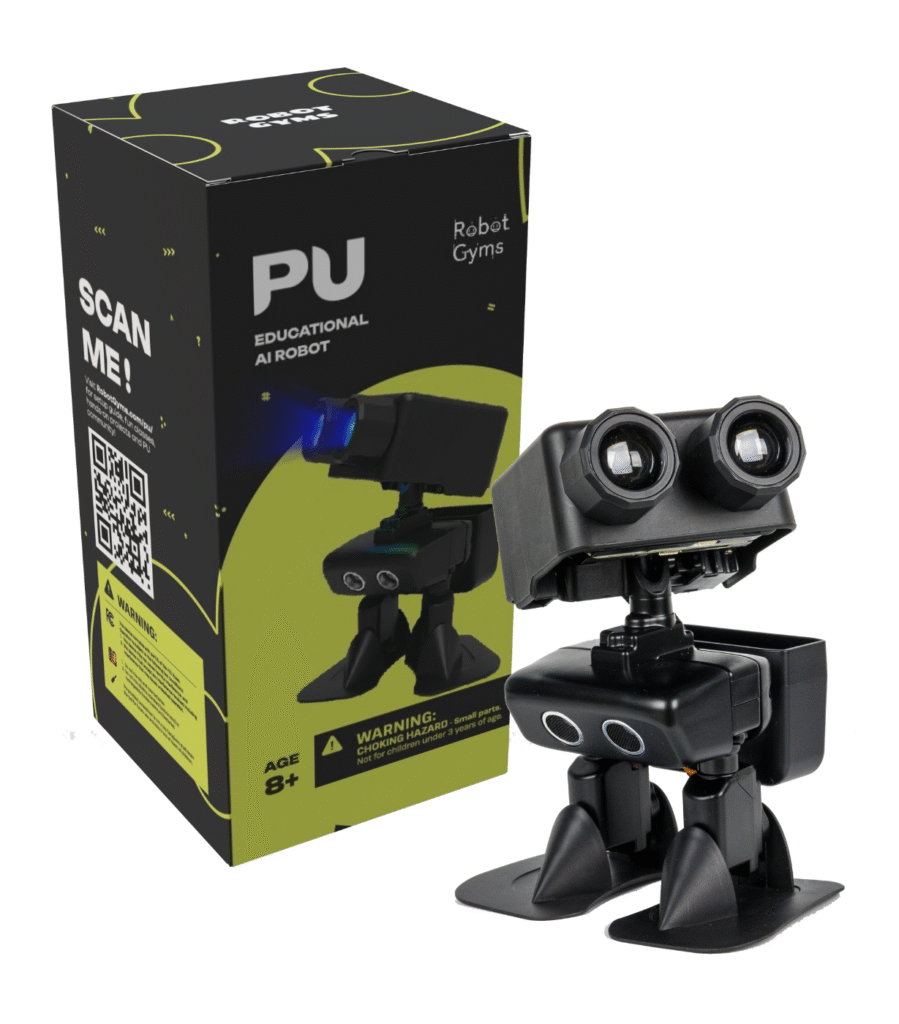
Robot PU is a playful, programmable robot designed to spark creativity and curiosity in learners of all ages. Built on micro:bit and open-source software, PU walks, reacts, and tells stories—making STEM joyful, accessible, and unforgettable.
🧠 Designed for Makers & Educators
🛠️ Maker-Friendly: 3D-printable parts, solderable upgrades, sensor integration
🎓 Classroom-Ready: Supports block coding & Python, with educator guides and lesson plans
🎭 Expressive Personality: Dance routines, reactions, auto-pilot, and sci-fi storytelling
🌐 Open-Source: Tutorials, GitHub repo, and community support
📦 What’s in the Kit?
Robot PU (pre-built and upgradable)
Micro:Bit x 2
Gamepad
Manual
Free online tutorials
Whether you’re looking for entertainment, learning opportunities, or a platform for creativity and collaboration, Pu seems to cover all the bases. Pu can also really help you explore a lot of exciting areas and connect with a community of like-minded individuals:
Little AI Friend
- Entertainment: Walks and dances like a human, navigates with auto-pilot, solves mazes, chats, composes original AI-generated songs, and sings.
- Games: Play soccer, hide-and-seek, group dance, chorus, and other group fun activities.
- Lifestyle Companion: Ideal for travelling, biking, film-making, and other hobbies. Also makes a great office companion or sales assistant.
Learn-then-Create Platform
- Online Training Classes: Understand how Pu works and learn programming, electronics, and mechanics.
- 3D Design & Printing Projects: Engage in creative design and printing to make new gadgets for Pu.
- Programming & AI Algorithms: Dive into the intelligence side and customize Pu with new talents.
Community
- Gadgets & Skills: Download programs and part design. Try out new creations made by other users.
- Sharing Creativity: Upload blueprints or code to share your innovations.
- Collaboration: Work together with others to achieve greater goals.
- Robot Society: A group of Pu robots can chat to either other and work together.2
Online Resources
Classes
- The Story Of Pu (Book 1, User Manual): Box open instructions, manual and maintenance guide.
- The Story of Pu (Book 2, Games): Games to evaluate Pu’s capability; games to collaborate or compete with your Pus; games for multiple robots; games for robots to interact with society.
- The Story of Pu (Book 3, Tutorials): Learn mechanics, software, algorithm and AI, and electronics.
- The Story of Pu (Book 4, Projects): Hobby Projects to upgrade Pu’s hardware, electronics, software, and overall functionality.
- The Story of Pu (Book 5, Community): Collaborative robot development and project blueprints
Camps
Software Update
- Update Robot Program to the latest version
Microbit MakeCode Extension
Source Code
Social Media
Vendors
Customer Support
- email: support@robotgyms.com
- phone: 650-444-3318
Tutoring Support
- email: coach.hao@robotgyms.com
Player Age and Activities
| Recommended Age Range | What Pu Can Help |
| Ages 5~7 | Simple Construction Kits: Introduce basic concepts through Construction kits, enabling children to construct simple add-ons for Pu. Basic Coding: Use visual programming languages like Scratch to teach children how to create basic commands for Pu’s actions. 3D Printing: Enhance Pu’s functionality by creating custom gadgets through 3D printing. |
| Ages 8~10 | Intermediate Sensor/Motor Kits: Upgrade to advanced kits equipped with sensors and motors. Coding: Introduce block-based and text-based programming (Python, JavaScript). Basic 3D Design and Printing: Use TinkerCAD to enhance Pu’s parts. Competitions: Join maze runners, track-and-field events for fun and learning. |
| Ages 11-13 | Advanced Robotics Kits: Enable more complex projects. Text-Based Programming: Learn Python and algorithms. 3D Design and Printing: Use OnShape for detailed creations. Electronics and Sensors: Integrate advanced sensors like AI-powered cameras. |
| Ages 14-18 | Custom Robotics Projects: Design personal robots with 3D design and electronics. Advanced Programming: Master C++ and Python. Algorithms and AI: Explore AI frameworks like TensorFlow and OpenAI. Competitions: Join Auto-Pilot, Auto-Soccer, and more. |
| Adults | Desktop and Travel Companion: Use Pu for relaxation and joy. System Design: Prototype and innovate future robots. AI Algorithm Development: Experiment with LLMs and deep learning. |